
July 21, 2026
5 mins



• Choosing the best CRM for a small business is about building reliable systems, not just tracking contacts.
• The right CRM improves customer relationships, simplifies sales processes, and supports long-term growth without unnecessary complexity.
• This guide explains what to look for, what to avoid, and which CRM platforms consistently perform best for growing teams.
Who This Is For
• Small business owners replacing spreadsheets or disconnected tools
• Sales teams that need better lead management and follow-ups
• Growing businesses that want scalable systems without enterprise-level bloat
Key Takeaways
• A CRM should support your entire sales process, not just contact storage
• Affordable CRM platforms can still deliver advanced automation and reporting
• Long-term flexibility matters more than short-term simplicity
Most small businesses know they need customer relationship management software, but very few feel confident choosing the right one. The CRM space is crowded with platforms that promise simplicity, automation, and growth, yet many businesses end up with an annoying CRM that feels harder to use than the spreadsheet it replaced.
The problem usually is not the technology. It is alignment. A CRM system must match how your team actually works while supporting where the business is headed next. When the system fights your processes, adoption drops, data quality suffers, and customer relationships weaken rather than improve.
The best CRM for small businesses supports sales teams, marketing campaigns, customer service, and leadership reporting without forcing the business into rigid workflows or surprise costs. That balance is what separates useful CRM tools from expensive software shelfware.
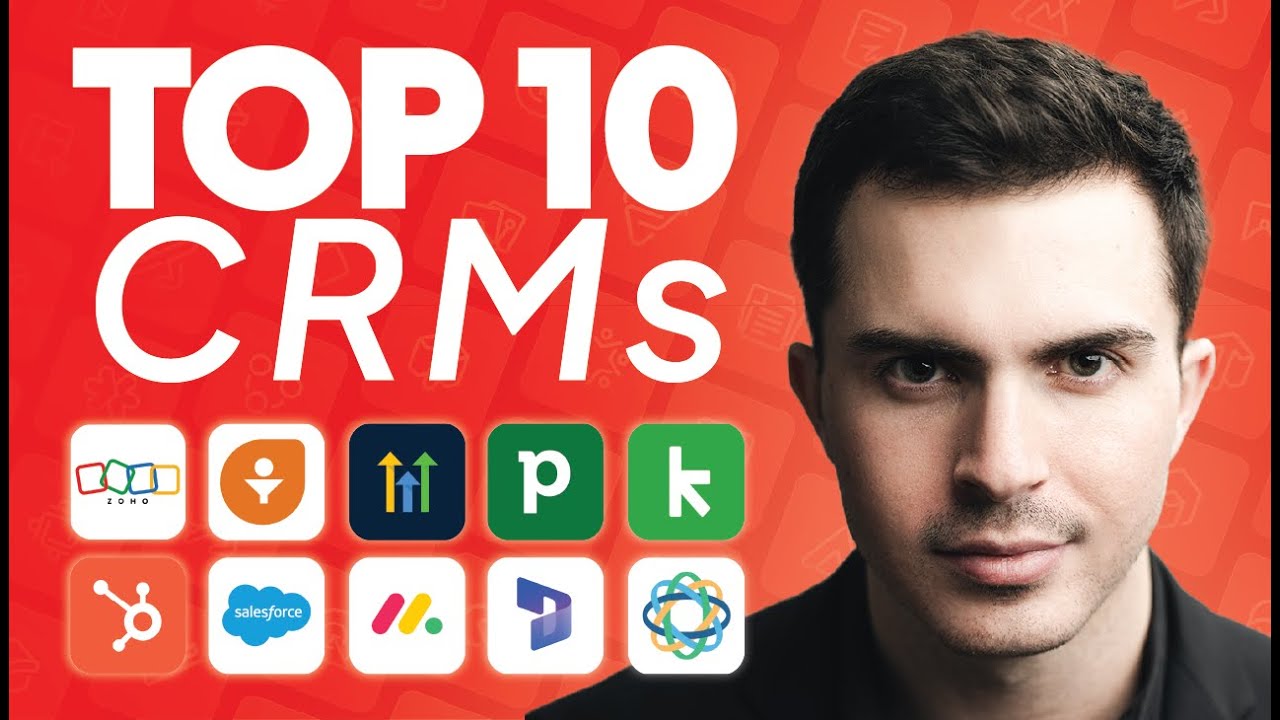
That’s where we come in! At Drew Brockbank, we have years of experience with CRMs, and are here to help you understand how to choose the one that’s perfect for your business. What follows is a short introduction to choosing the right CRM. For an in-depth analysis of both free and paid CRMs, check out our Youtube guide. Drew will walk you through the pros and cons of the 10 best options, so you can choose one with confidence.
At its core, CRM software centralizes customer data and improves customer interactions. For small teams, that means far more than storing contact information. A strong small business CRM connects your contact database, sales pipeline, communication tools, and task management into one reliable system.
A properly implemented CRM platform should help your entire team understand customer history at a glance. Emails, calls, meetings, proposals, invoices, and follow-ups should live in one place so no opportunity slips through the cracks. When CRM data is structured well, it becomes the foundation for better decision-making across the business.
Beyond visibility, CRM solutions automate routine tasks that slow teams down. Automated workflows can assign leads, trigger follow-ups, update deal stages, and generate reports without manual data entry. That automation frees sales teams to focus on closing deals instead of managing tools.
Many small businesses gravitate toward simple CRM tools because they feel approachable at first. These systems often advertise quick setup and low monthly costs. While that can work temporarily, simplicity usually comes at the expense of scalability.
As businesses grow, they need more advanced lead management, better reporting, customizable fields, and deeper integrations with other tools. Simple CRMs often lack custom reporting and flexible data management. When growth demands more, teams are forced into painful migrations that disrupt operations and fragment customer data.
The best CRM for small businesses balances usability with depth. It should feel approachable on day one while still offering advanced features that support growth over time.
Spreadsheets remain a common fallback for contact management and lead tracking. They are easy to start and familiar to most teams, but they break down quickly under real operational demands. Spreadsheets cannot automate follow-ups, track customer interactions across channels, or provide real-time visibility into the sales pipeline.
As soon as multiple team members need access, spreadsheets create version conflicts and data inconsistencies. Searching customer history becomes slow, and reporting requires manual work. This means that errors become inevitable. CRM software exists specifically to solve these issues by centralizing customer information in a structured, searchable system.
The best CRM platforms share a common set of core CRM features that support daily operations without overwhelming users. Contact management should allow teams to store detailed customer information and segment contacts using custom fields. Lead management tools should support lead scoring and clear next steps for follow-ups.
Sales pipeline visibility is essential. Teams need to see where deals stand, what actions are required, and which opportunities deserve attention. Built-in communication tools such as email syncing and meeting tracking ensure that customer interactions are recorded automatically.
Reporting and analytics matter even for small teams. Custom reports and CRM data visibility help leadership understand performance and forecast revenue. They are also key to identifying bottlenecks before they become problems.
Automation capabilities are one of the biggest advantages of modern CRM software. The best systems automate routine tasks without requiring technical expertise. Automated workflows can assign leads, update deal stages, send follow-up emails, and notify team members when action is needed.
When automation is implemented well, it reduces manual data entry and improves consistency across the sales process. When implemented poorly, it becomes confusing and brittle. A customizable CRM allows businesses to start simple and layer automation gradually as processes mature.
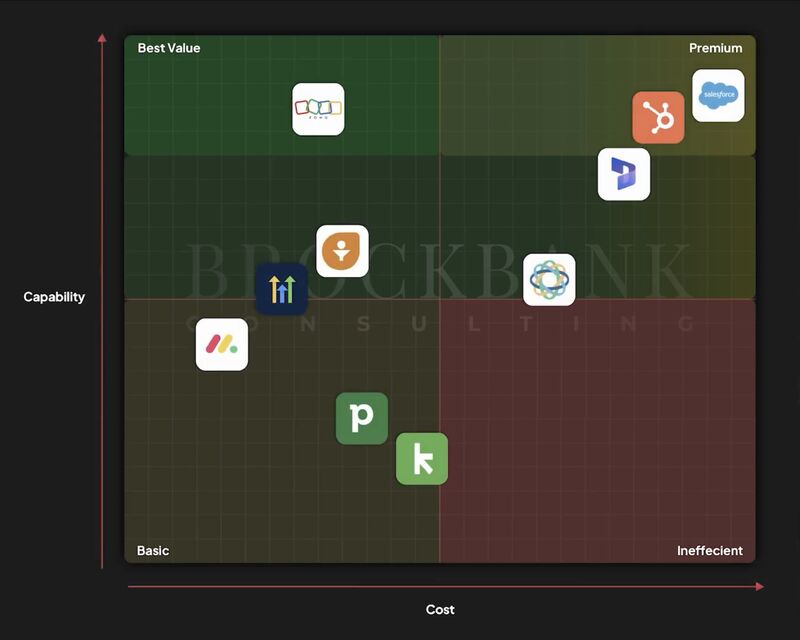
Zoho CRM consistently stands out as one of the best CRM solutions for small businesses that want flexibility and affordability. It offers strong contact management tools, advanced automation, sales pipeline tracking, and built-in AI capabilities without forcing businesses into enterprise-level pricing.
Zoho’s ecosystem is a major advantage. Businesses can expand beyond CRM into project management tools, accounting, analytics, customer support, and marketing tools while keeping everything connected in one platform. That reduces reliance on third-party platforms and minimizes data fragmentation.
The tradeoff is complexity. Zoho CRM is powerful, and without proper setup, it can feel overwhelming. When configured thoughtfully, however, it becomes a scalable foundation that supports long-term growth instead of limiting it.
HubSpot is widely known for its inbound marketing tools and polished interface. For businesses that rely heavily on content marketing, web forms, and email campaigns, HubSpot offers strong capabilities out of the box.
The challenge for small businesses is cost escalation. While HubSpot offers a free CRM plan, many advanced features, such as automation and reporting, quickly push teams into higher pricing tiers. What starts as a budget-friendly CRM can become expensive as the business grows.
Salesforce dominates the enterprise CRM space with unmatched customization and an extensive app marketplace. It is highly capable and trusted by large organizations worldwide.
For most small businesses, Salesforce introduces unnecessary complexity and cost. Implementation often requires specialized expertise, and many teams find the interface difficult to navigate. Salesforce works best when businesses have dedicated administrators and complex operational needs.
Platforms like Monday.com, Pipedrive, and Close offer focused solutions for specific use cases. Monday.com blends project management with CRM concepts, Pipedrive emphasizes pipeline simplicity, and Close prioritizes outbound sales communication.
These tools can work well for narrow needs, but they often sacrifice broader CRM features such as advanced reporting, cross-department workflows, or long-term scalability. They are best suited for small teams with clearly defined processes and limited system requirements.
One of the most overlooked factors when choosing CRM software is total cost over time. Hidden costs include add-ons, user limits, automation restrictions, and data storage fees. Migration costs also matter. Switching CRM platforms later requires retraining and operational downtime.
Choosing a CRM provider that supports growth from the beginning reduces these risks. A budget-friendly CRM should remain affordable as usage increases, not penalize success.
Successful CRM adoption depends as much on process as it does on technology. A CRM system should reflect how your business actually sells and delivers value. That requires thoughtful design and consistent training.
When CRM implementation is rushed or generic, teams revert to old habits. When systems are designed intentionally, CRM becomes the backbone of customer relationships and operational clarity.
Even the best CRM for small businesses will fail without proper setup. Fields must match real-world data, workflows must align with actual processes, and reports must answer meaningful questions. CRM implementation is where strategy meets execution.
This is why many businesses struggle despite choosing capable software. The issue is not the CRM platform. It is the absence of structured implementation and ongoing optimization.
A strong CRM platform supports small teams today while preparing them for tomorrow. It should scale with your business, integrate with other tools, and provide visibility across customer data, sales pipelines, and performance metrics.
CRM should reduce friction, not introduce it. When systems are aligned, teams close more deals, improve customer service, and spend less time managing tools.
Choosing the best CRM for a small business requires clarity about your goals and growth plans. There is no universal “best CRM,” but there are platforms that consistently perform well when implemented thoughtfully.
If you want to go deeper into CRM comparisons and understand how different platforms stack up, watch the full video. If you want personalized guidance, book a free consultation with Brockbank Consulting to design a CRM system tailored to your business.


Book your free consultation to learn how Zoho should work for your business. We will show you the best practice ways to set it up and use it for your industry so you get the most out of Zoho.


Dive deeper into our expert articles.





